

Diese Seite ist derzeit nur auf Englisch verfügbar.

← Unrich product page

Unrich Press Kit

Unrich is a plain-text scratchpad for Mac. Paste text from any app and it arrives clean, with a comparison that shows exactly what changed, down to the invisible characters. Work on it, then copy it back or keep it for later.

At a glance

Unrich works well for email drafts, answers for web forms, notes from calls and snippets you need tomorrow. Press ⌥Space in any app to bring it up and ⌘↵ to copy a note back out. Boards and columns give you more room when you need it.

Notes are saved automatically, without filenames, and stay on the Mac. There is no account, no sync and no analytics. Unrich is not a clipboard manager: it keeps no history, only what you add.

Price
€9.99 / US$9.99, one-time purchase
Requires
macOS 13 Ventura or later; Apple silicon and Intel
Language
English
Version
1.1.2
First release
2 November 2026
Developer
coneno GmbH, Germany

Screenshots

App screenshots without captions, from version 1.1.2. Click an image for the full-resolution PNG.

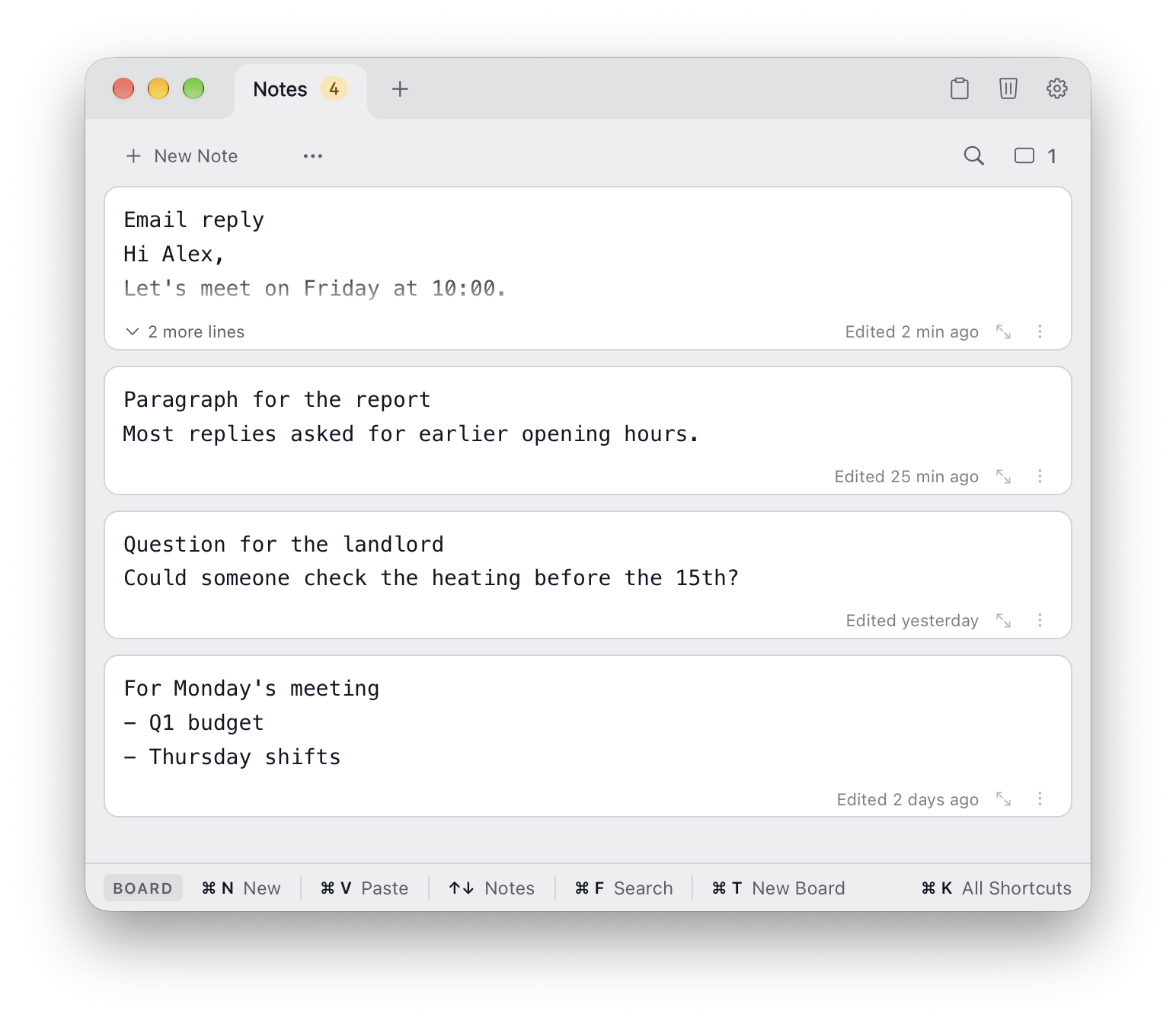
Unrich main window with four notes
Main window: a board of notes, opened from any app with ⌥Space. PNG, 1544 × 1344
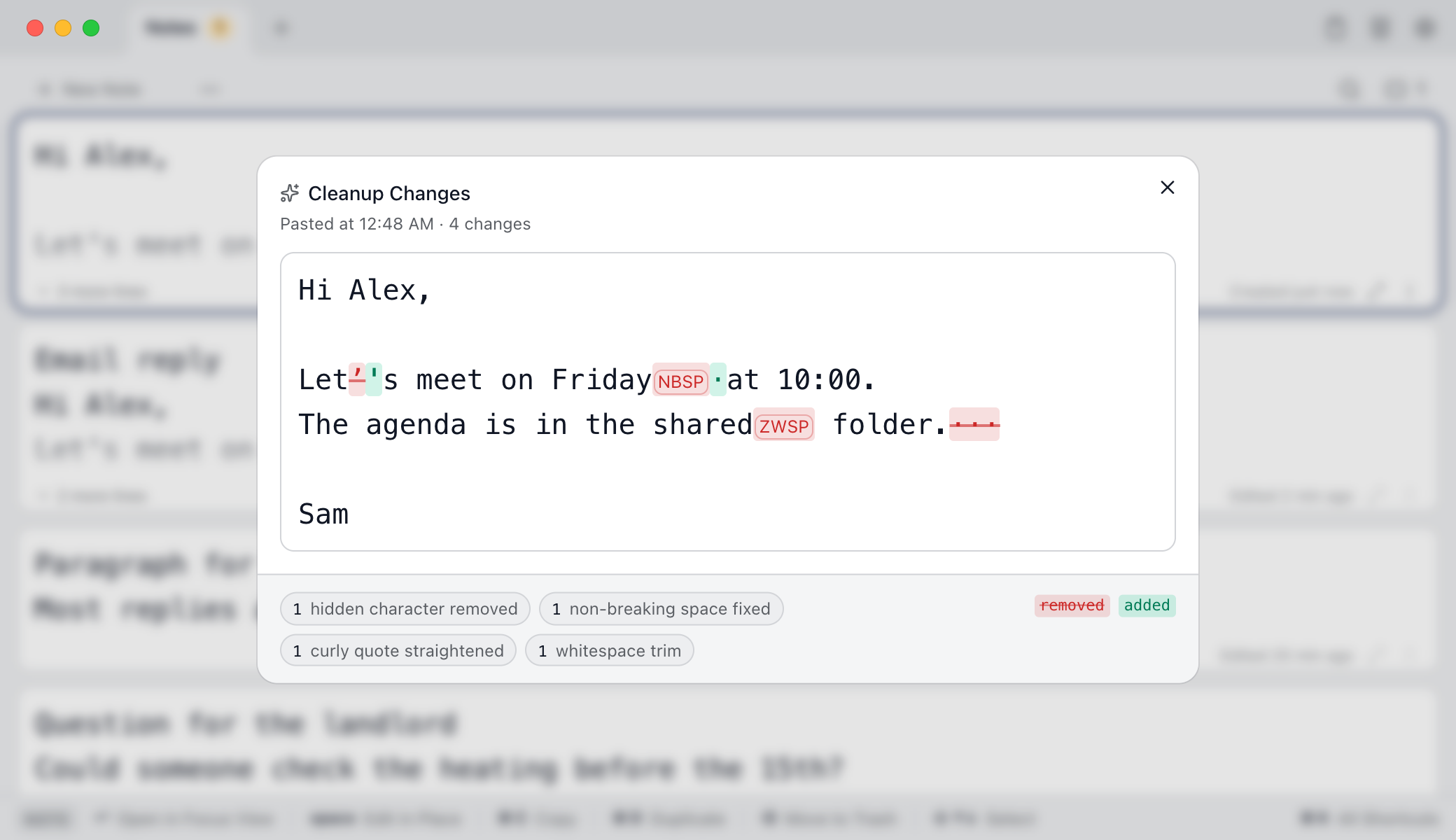
Cleanup changes marking a removed zero-width space, a fixed non-breaking space and a straightened apostrophe
Cleanup changes: what was removed or fixed when the text was pasted. PNG, 2080 × 1200
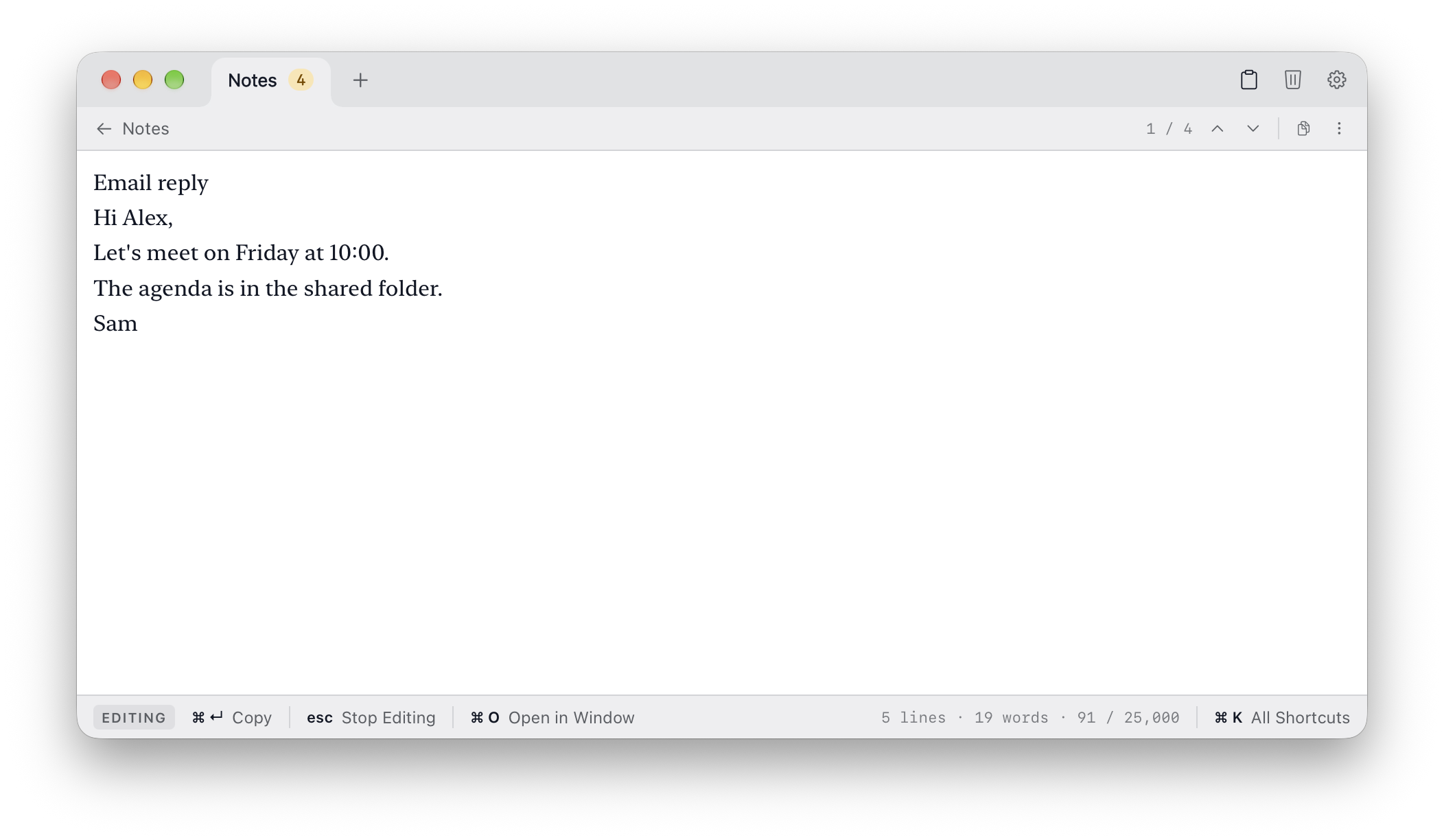
A note open in Focus View
Focus View: one note, nothing else. PNG, 2104 × 1224
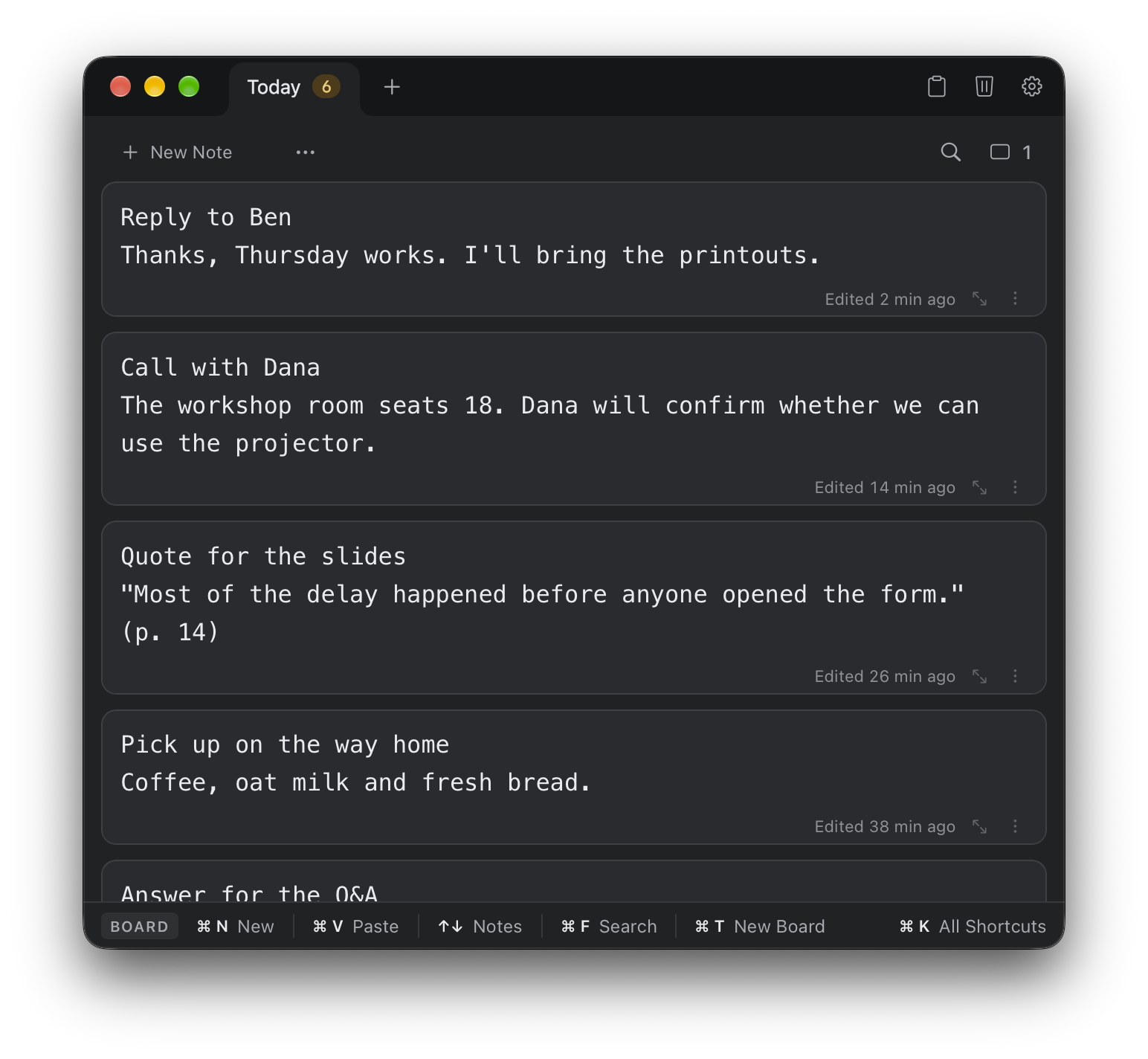
Unrich in dark appearance
Dark appearance. PNG, 1544 × 1424
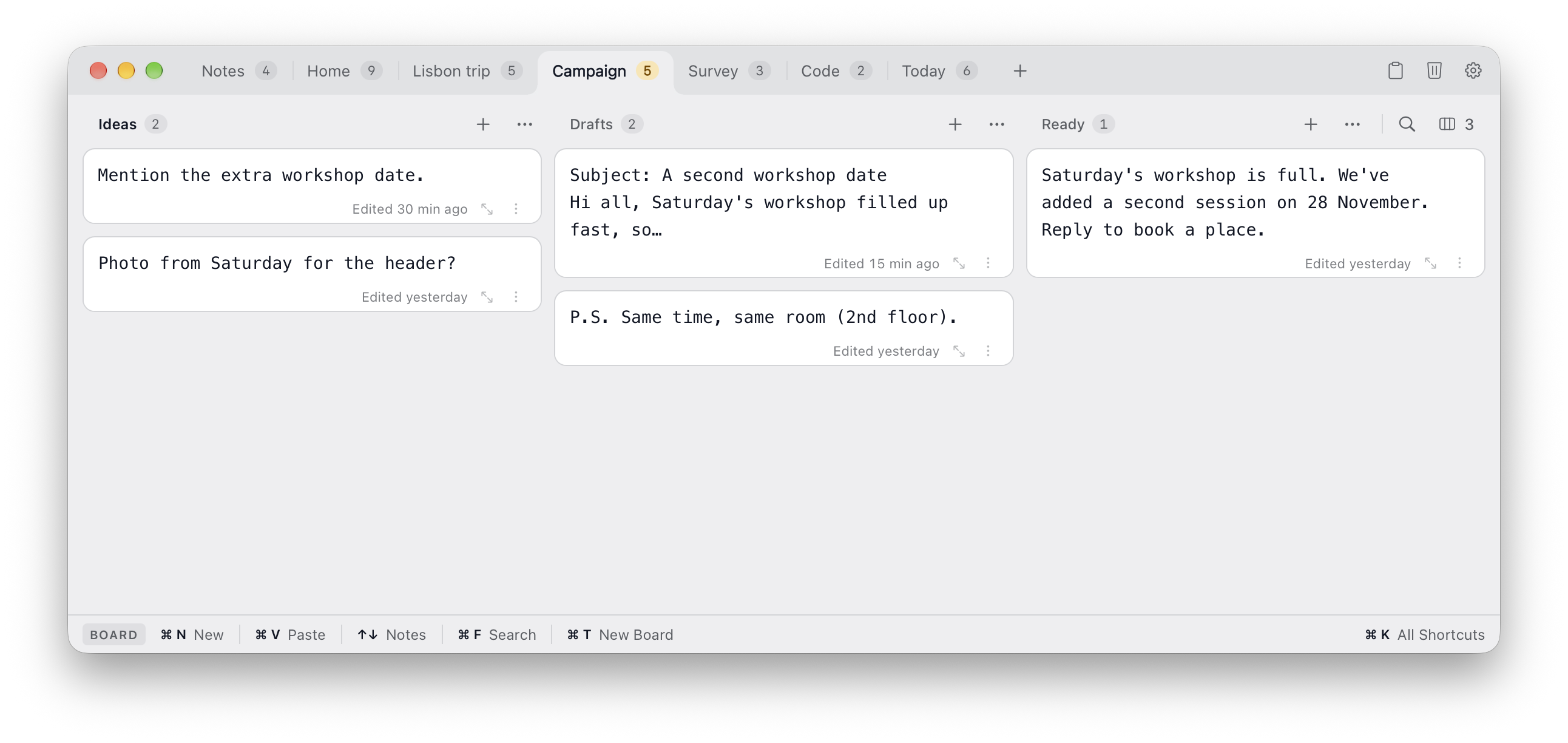
A board with three columns of notes
Boards and columns, when you need more room. PNG, 2584 × 1224
Unrich app icon
App icon. PNG, 1024 × 1024

Film

Demo film · 35 s · with soundText copied from a web page arrives clean in Unrich. At the end: a quick note from the menu bar.Watch on YouTubeMP4, 1920 × 1080Please link to or embed the YouTube video rather than re-uploading the film.

Why we made it

One day we noticed that three of us had a habit of keeping an “Untitled” tab open in a text editor. It was never saved, still there after every restart. We used it to strip formatting before pasting into emails and forms. One of us even kept quick to-dos there because a task app felt like too much for him. Another kept piling up notes in there that didn’t deserve a file. And we all liked working with plain text.

So we built Unrich, initially for ourselves. At first it was just a window you could bring up from any app to paste text, clean it, work on it and copy it somewhere else. Rich text in, plain text out. Hence the name :)

Then we added a diff to show what the cleanup changed, including unwanted invisible characters you wouldn’t otherwise notice. Notes could be split, merged and moved around. Focus View gave us room to work on one note. We added plenty of keyboard shortcuts, so you can bring it up, move between notes, edit and copy text back without reaching for the mouse. Bit by bit it became more.

Using Unrich every day gave us more ideas: boards and columns for snippets we wanted side by side, Markdown cleanup for text that needed more structure, and Temporary Secrets for passwords we didn’t want to keep. The app grew out of what we found useful ourselves.

Now Unrich holds our email drafts, snippets we need tomorrow, notes from calls and half-written answers for web forms. It is open on our Macs all day, and we think it might be useful for others too.

Say “Unrich” the German way, [ˈʊnʁɪç], and it sounds like a knight’s name. Sir Unrich, defender of plain text.

Try it in two minutes

First, install Unrich from the Mac App Store, or ask us for a free review copy. Then try the steps below on your Mac.

  1. Copy the sample with its button, or click into it and press ⌘A, then ⌘C.
  2. Press ⌥Space to open Unrich, then ⌘V. The text arrives as a new, cleaned note.
  3. Click the note’s ⋮ menu, or right-click the note, and choose Show Cleanup Changes. Each removed or fixed character is marked. Press Esc to close it.
  4. Select the note and press ↵ to open it in Focus View. Edit a line, then press ⌘↵ to copy the note.
  5. Paste it into any other app. It arrives as plain text.

A curly apostrophe, a non-breaking space, a zero-width space, a soft hyphen, typed bullets, trailing spaces and extra blank lines.

Also try: formatted text

Copy the formatted sample and paste it into Unrich. Fonts, colors, bold text and the link’s formatting stay behind; the list stays a list.

Formatted sample

Team update

The launch review moves to Thursday at 14:00. Notes are in the shared folder.

  • Q1 budget
  • Thursday shifts

For a free review copy, email info@coneno.com. We’ll send you a Mac App Store promo code.

Use of material

The screenshots, app icon and texts on this page may be used in editorial coverage of Unrich, including cropping and resizing. No approval of your article is needed. Please link to or embed the YouTube video rather than re-uploading the film. Mac App Store badges, if used, must be Apple’s official artwork.

About coneno

coneno is a software company based in Kaiserslautern, Germany. We build software for clients, bringing together software engineering, research and design. We also develop our own products, including Unrich and QuikFlow.

Mac, macOS and Mac App Store are trademarks of Apple Inc.